Business & teams

Your firm's relationships,
not one person's phone.

Clients, prospects, vendors, referral partners. Give each part of the business its own Circle, decide exactly who sees which, and keep the book when someone leaves.

Start free See pricing

Team $19.99 per workspace / month · Free plan available · No card to start

12 years serving financial and professional firms
Audit trail on every record
CardDAV sync to every device
The problem

The book walks out
with the person.

When relationships live in individual phones and personal spreadsheets, the firm doesn't own them. A resignation becomes a data loss event, and nobody notices until someone needs a number.

What goes wrong
Shadow lists everywhere
Three people maintain three overlapping spreadsheets. None matches, all are out of date, and each is one laptop away from being gone.
What goes wrong
Everyone sees everything
Or nobody sees anything. Most tools give you one shared list or total isolation, with nothing sensible in between.
What goes wrong
No answer for "who changed this?"
A record is wrong and there's no way to tell when it changed, who changed it, or what it said before.
Structure

A Circle per book of business.

Circles are the unit of access. Each holds its own people, organizations, groups and documents — and its own list of who can reach them.

By desk
Separate teams cleanly
Prime brokerage, advisory, compliance. Each desk works its own Circle without seeing the others, and admins see all of them.
Typical: 4–8 Circles for a mid-sized firm
By relationship
One Circle per major client
Everyone at the client, their advisors, their counsel. When the engagement ends you archive one Circle rather than untangling records.
Useful for: Law, consulting, accounting, agencies
By function
Vendors apart from clients
Suppliers, contractors and internal services in their own Circle, so operations can reach them without touching the client book.
Often paired with: read-only access for junior staff
Permissions

Access you can actually explain.

Every grant is a row on one screen: who, which Circle, read or write. No inherited roles to reason about, no hidden defaults. When someone asks who can see the client book, you open the screen and read it out.

  • → Admins reach every Circle in the workspace automatically
  • → Everyone else gets explicit, per-Circle access
  • → Read-only for people who should look but not edit
  • → Revoke in one click; it takes effect immediately
People & access
DS
David Staschover
All Circles
Admin
AL
Anita Laurent
Prime · Compliance
Organizer
JO
Joanne Okafor
Prime — read only
Member
PK
Peter Kaur
Invitation sent
Pending
U.S. Government · Organizations
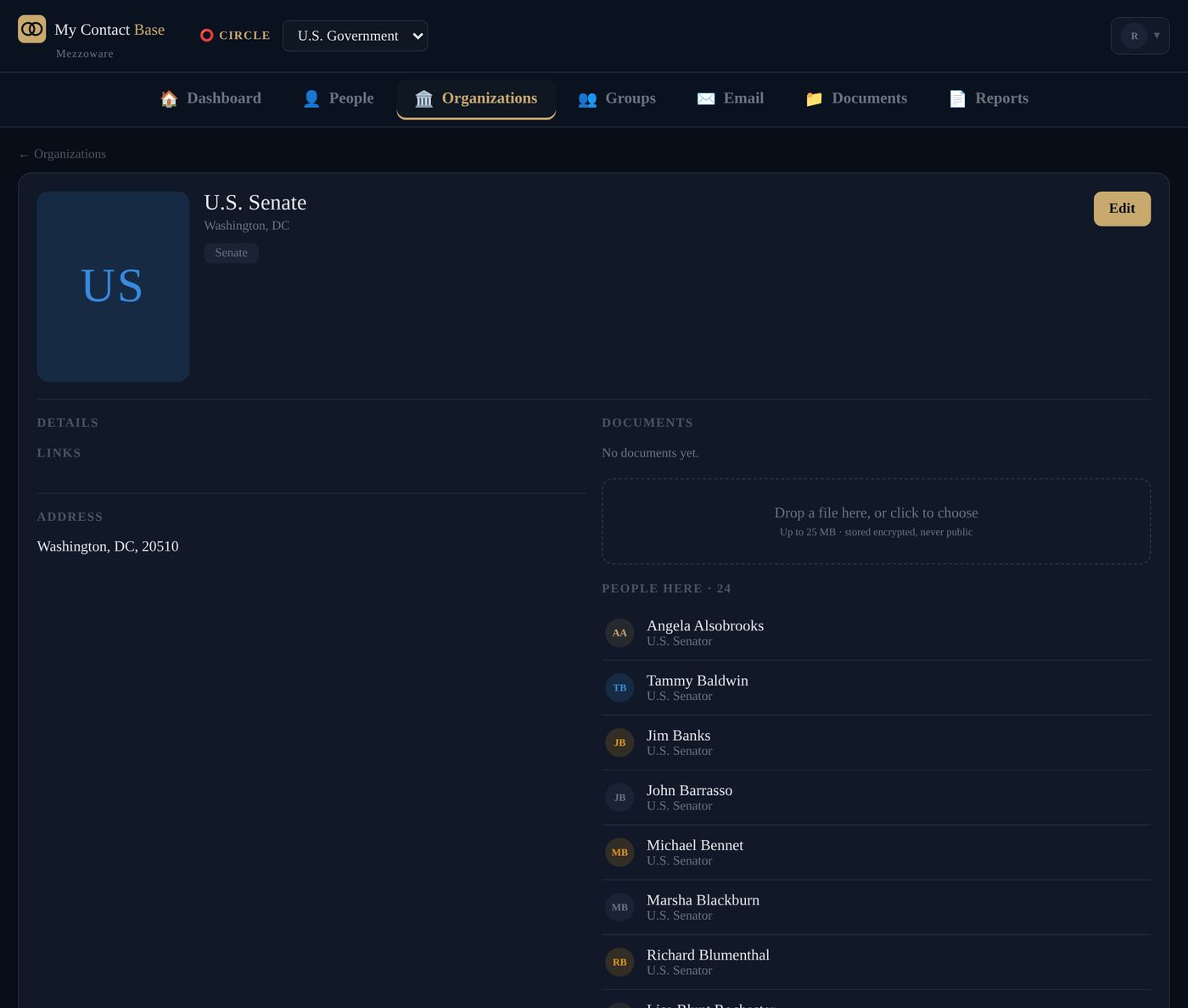
The U.S. Senate in the app, with its senators listed
Organizations

People move. The record shouldn't reset.

Every person links to the organizations they work for, and every organization shows its roster. Someone changes firms and you move them — their notes, documents and edit history come along, and the old organization keeps its history too.

  • → One person can sit on several boards
  • → Each organization names its primary contact
  • → Organization-level notes, address and account number
  • → Filter and email a whole organization's roster at once
Between firms

Share a Circle outside your company —
and take it back.

Counsel needs the investor list for a quarter. A partner firm wants read access to the referral book. Neither should mean emailing a spreadsheet you can never retrieve.

Step one
Invite by email
You choose read-only or read and write at the moment you send it.
Step two
They accept
Nothing moves until they do. No surprise data landing in anyone's account.
Step three
It appears in their app
Alongside their own Circles, clearly labelled as shared by you.
Any time
You withdraw it
Access ends the same day. The Circle was always yours.
For the compliance conversation

Answers ready before you're asked.

🕓
Audit trail on every record
Who changed what, and when. Contact edits, permission grants, exports and administrative sign-ins are all recorded and searchable.
🔐
Documents never public
Files live in private encrypted storage and are served through short-lived signed links. Nothing is written to a web-accessible folder.
📋
Export is recorded too
Every export logs who ran it and how many records left the Circle — so a data question has an answer rather than a shrug.
🏢
Tenant isolation by design
Every query is scoped to your workspace at the data layer, not by convention. Another customer's data is unreachable, not merely unlinked.
↩️
Deleted means recoverable
Delete a Circle and it goes to a review list for 30 days before it's purged. Mistakes are survivable.
📤
No lock-in
CSV, vCard and PDF export whenever you want, with no approval step. Leaving is always an option, which is why nobody does.
Day to day

The tools people actually open.

Search everything
Names, organizations, job titles, notes and phone numbers — one box, results as you type, scoped to the Circle you're in.
Group email with opt-out
Send to a whole group from your own address. Unsubscribes are tracked per Circle and honoured on every future send.
Reports & directories
Printable people and organization directories, grouped and filtered, ready for a board pack or a desk drawer.
Bulk operations
Select many, then tag, move, export or delete — with a confirmation step before anything irreversible.

Keep the book, whoever leaves.

Start free, no card needed. Import your existing lists on day one and have the team working from them by the afternoon.

Start free Talk to us