Every Circle has its own guest list.
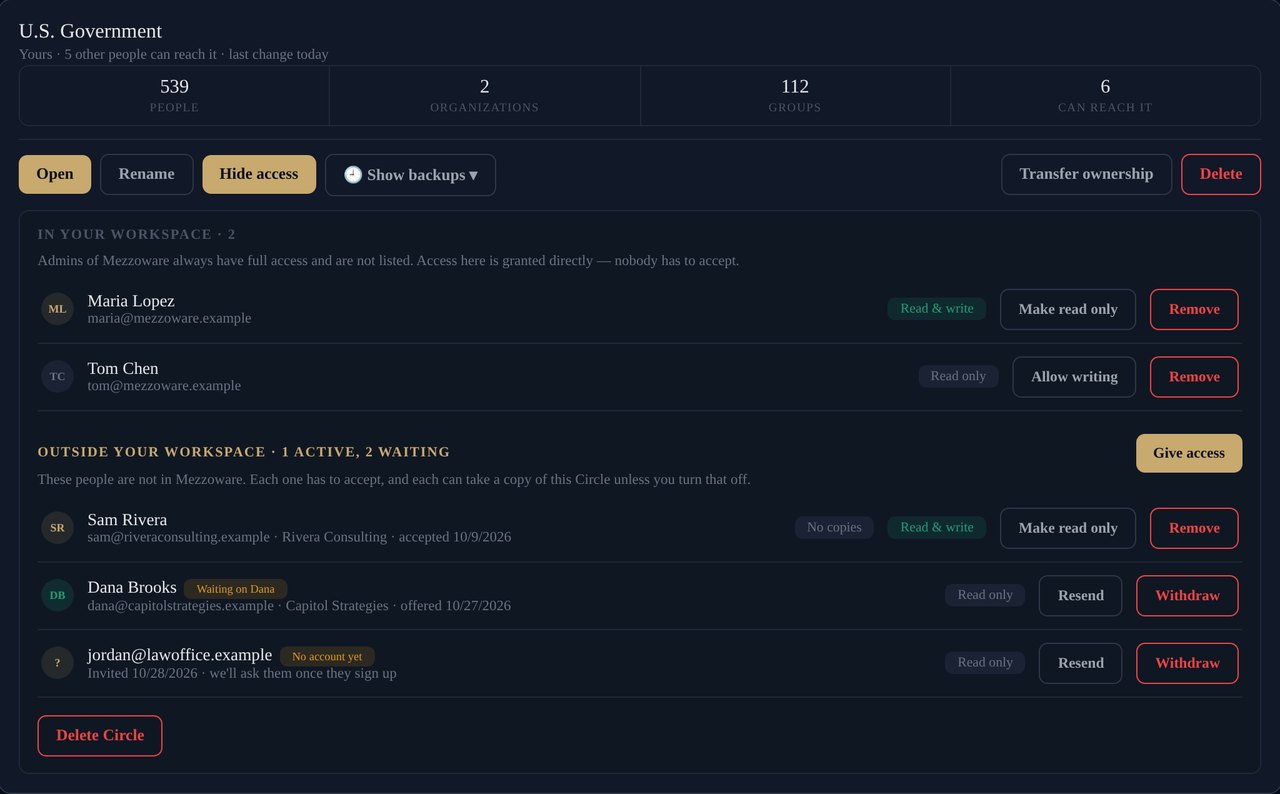
Open a Circle's Who has access and you see everyone who can reach it, what they can do, and who is still deciding. Change any of it in one click.
- Read only or read and write, per person, per Circle
- Your workspace's admins always have full access
- Colleagues get access straight away; nobody has to accept
- Remove anyone at any time; they keep nothing unless you let them copy it
👥 Your team
Pick colleagues from your workspace. Instant, with no invitation and nothing to accept.
✉️ Someone outside
An accountant, a partner firm, a family member. Invite them by email; nothing is shared until they accept.
🔒 Read only or read & write
Decide when you share, and change your mind later. Read-only people can look, call and email, but not change.
Hand the list to one person. Everyone else just has it.
Give your assistant or office manager read and write on the client Circle, and everyone else read only. They add the new hire, fix the changed number, file the business cards from the trade show. The whole team sees it straight away.
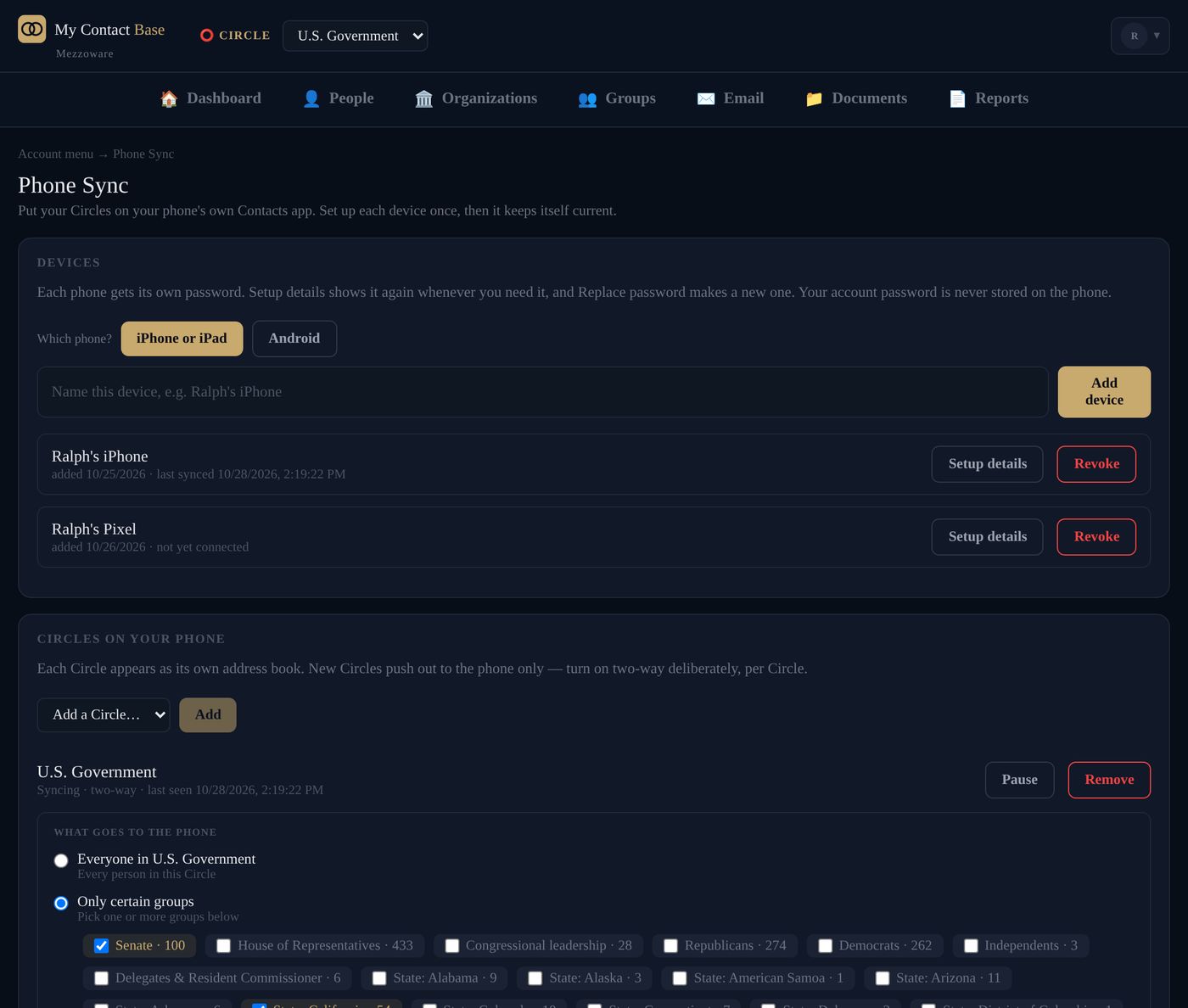
With Phone Sync, it reaches their phones too: the new number is in their Contacts app before the next call, and nobody has to forward a spreadsheet again.
- One list everyone trusts, kept by the person whose job it is
- Read-only phones can't change the shared list by accident
- When someone leaves, remove their access; the list stays with you
- Every change recorded: who, what and when
Share with another company, on your terms.
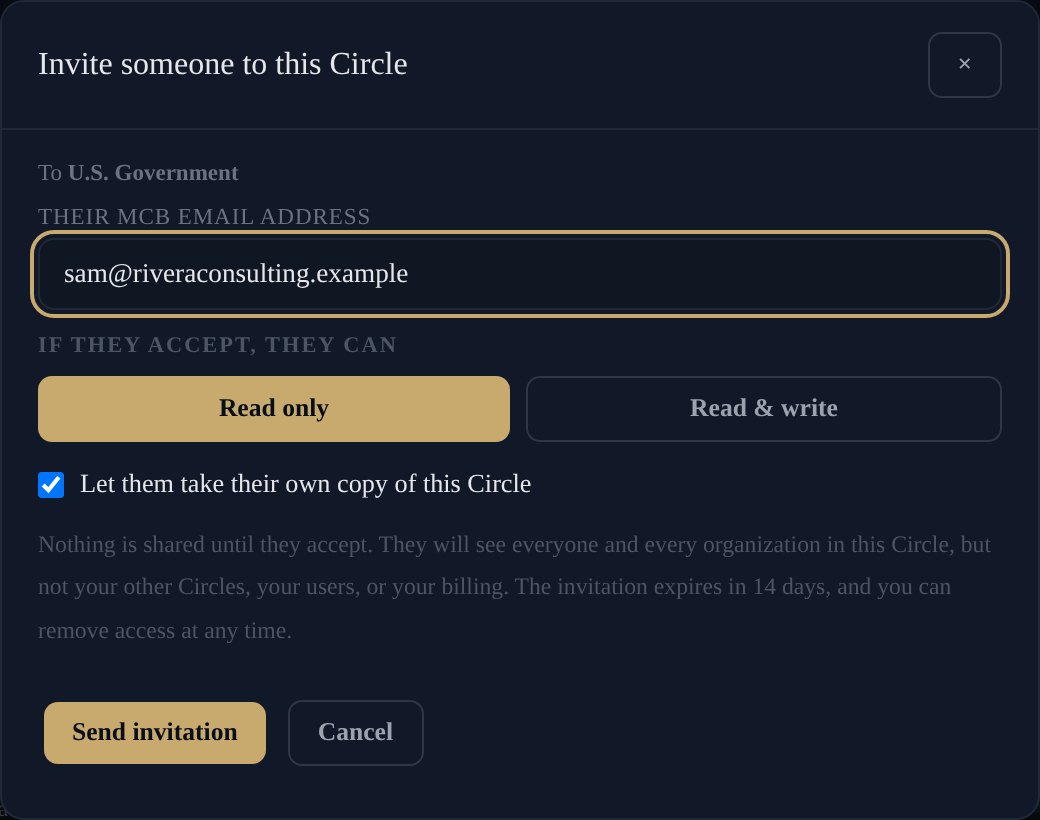
Type their email address and choose what they can do. They see that one Circle and nothing else: not your other Circles, not your users, not your billing.
- Nothing is shared until they accept
- Invite people who aren't on My Contact Base yet; they're asked when they sign up
- Let them take their own copy, or not
- An invitation nobody answers expires after 14 days
- Take it back at any time, and see who left, declined or kept a copy
They always know whose list it is.

Shared with you
An accepted Circle appears in their switcher, labeled with the owner's name on every screen.
Leave any time
They can leave a Circle shared with them, and take a copy on the way out if you allowed it.
On their phone
On a paid plan they can sync it to their own phone. You keep it up to date; they never have to.
Lists that outlast the people who made them.
Transfer ownership
Give a whole Circle to another workspace, for example when a client takes their list back. Nothing moves until they accept.
Public Circles
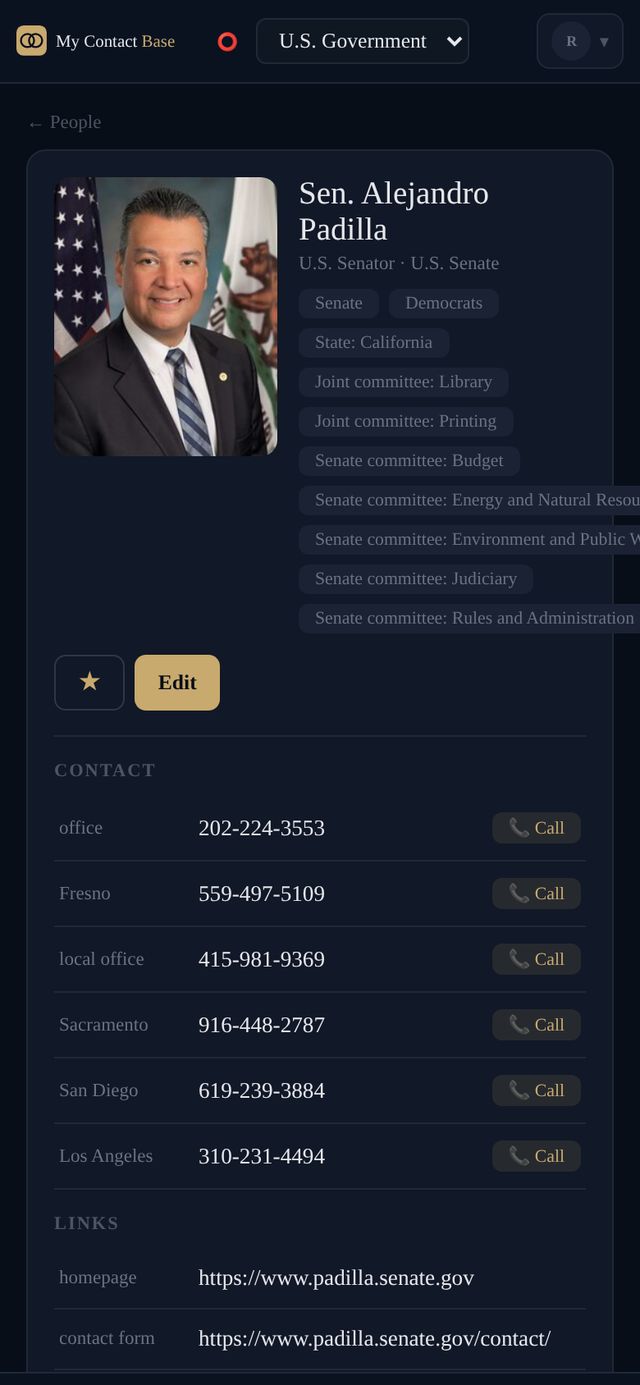
Like U.S. Government: every member of Congress, kept up to date every night, read only for everyone and free on every plan.
Saved every night
If someone with write access makes a mess, go back to yesterday, last week or three months ago, and undo that too.
About sharing.
Which plans can share?
Sharing with people in your own workspace comes with every plan that has more than one user, from Personal & Family up. Sharing with someone outside your company is on Team, Business and Enterprise.
Does the person I share with have to pay?
No. They need a My Contact Base account, and a Free one is enough to see and work in your Circle. To sync it to their own phone they need a paid plan, because Phone Sync is on paid plans.
What can a read-only person do?
Look everyone up, call them and email them. They can't add, change or delete anyone. On their phone the Circle is read only too: an edit made there goes back to your version.
Can they see my other Circles or my users?
No. They see only the Circle you shared, and only while they have access.
What happens when I remove someone?
The Circle disappears from their app at once, and from their phones at their next sync. If you allowed copies and they made one before, that copy is theirs and stops getting your changes.
Can someone with write access delete everything?
Deleted people go to the Circle's Recently deleted and stay there until someone puts them back or an admin deletes them for good. And every Circle is saved every night, so you can always go back.