🛟 Safety and backups
Every Circle is saved every night, and nothing you delete is lost by accident.
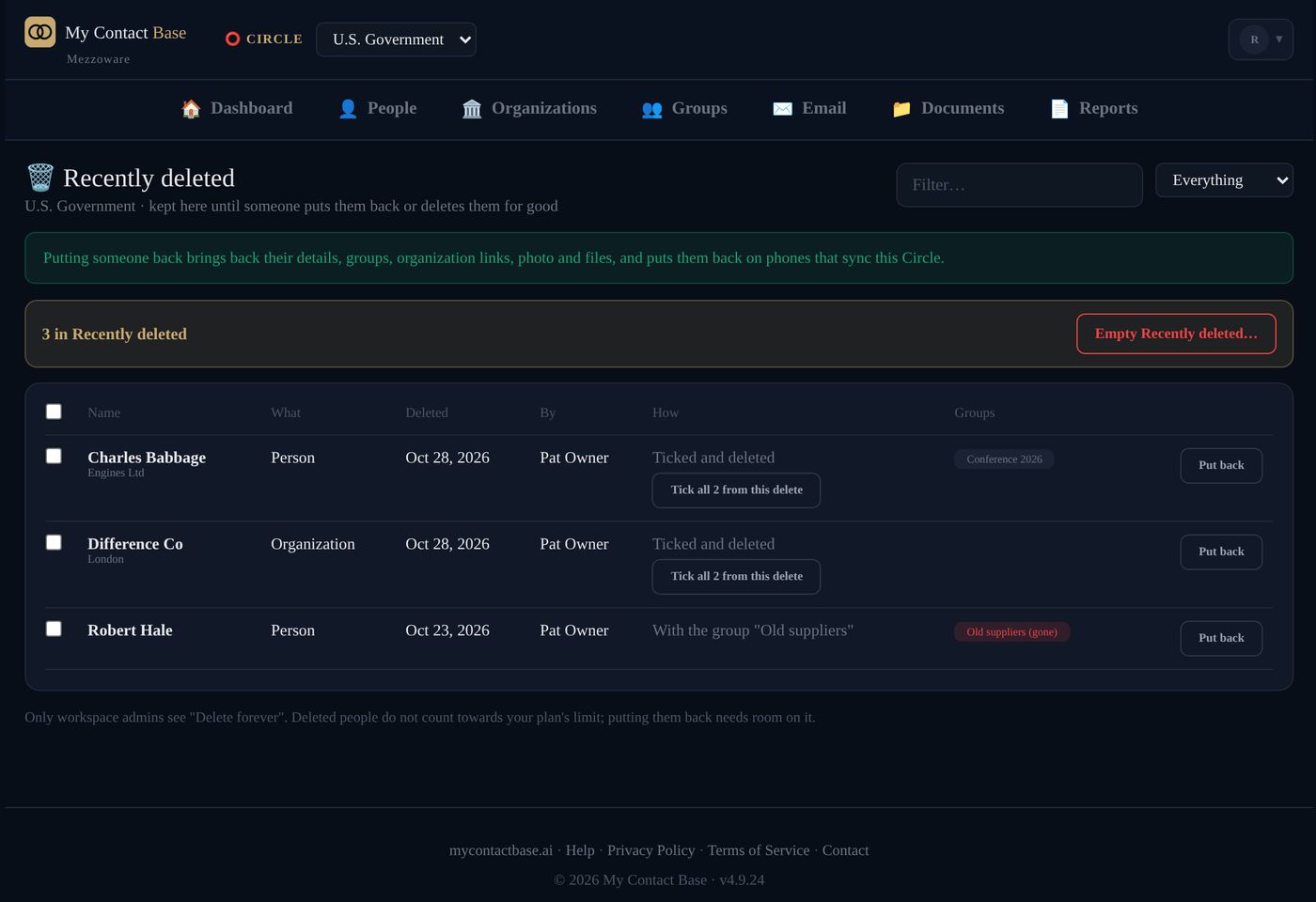
Get back someone you deleted
- Open your account menu (your initial, top right), then Recently Deleted.
- Tick the people or organizations you want back.
- Press Put back.
They come back with their groups, organizations and notes.
Deleted people wait here with no time limit. If a group they were in has gone, the app asks where they should go. Only an admin can Delete forever.
Go back to an earlier copy of a Circle
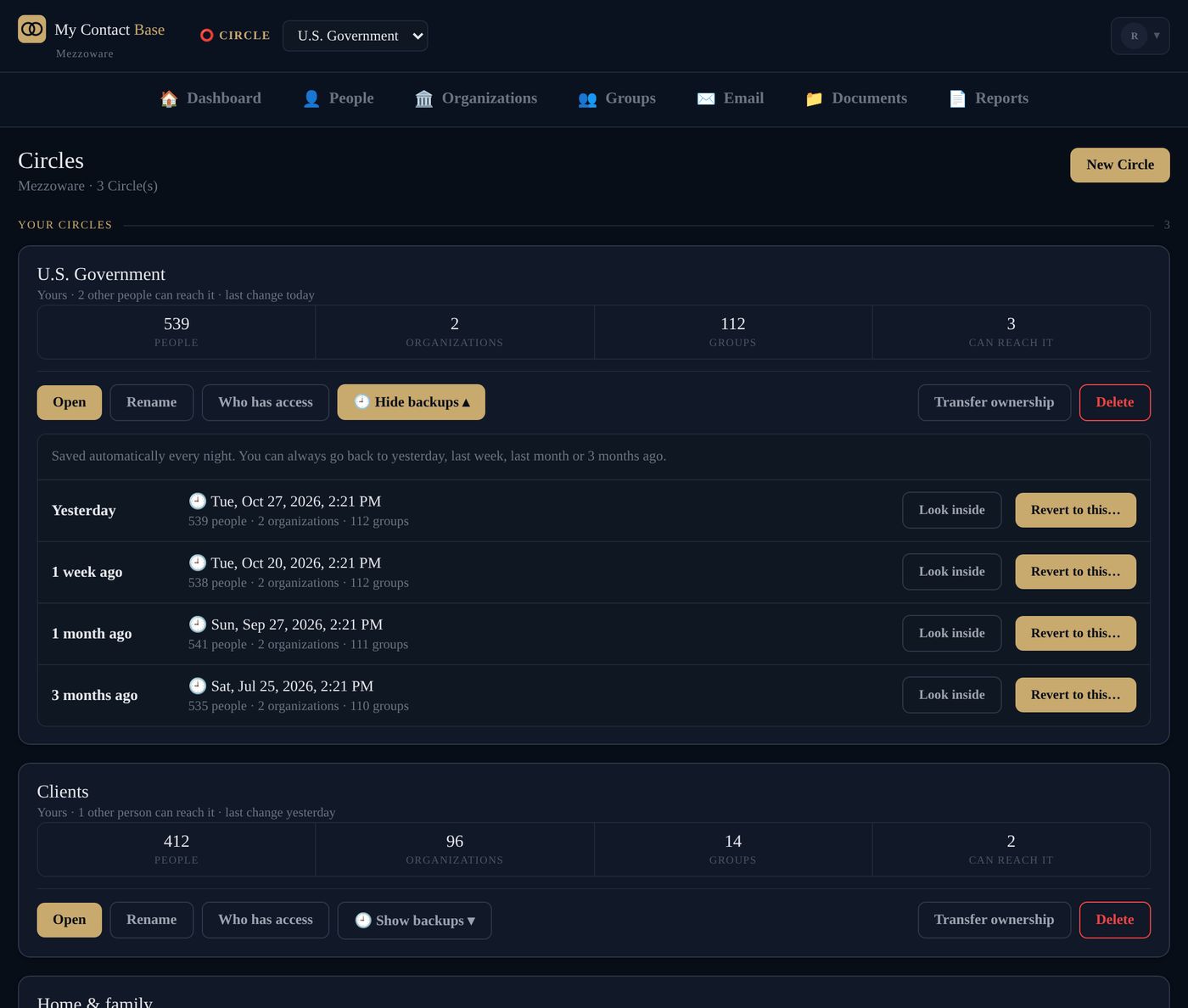
Every Circle is saved every night. Open Manage Circles and press 🕘 Show backups on the Circle: you see the copies from yesterday, 1 week, 1 month and 3 months ago.
Look inside a copy first. Revert to this… shows exactly what will change before it does anything.
Just before a revert, the app saves the Circle as it was, for 30 days, so Undo revert can take you back. Backups are for the admins of the workspace that owns the Circle.
Take a copy of everything
Open your account menu (your initial, top right), then Export. Download your contacts as a spreadsheet (CSV), as contact cards (vCard) or as a printable directory, whenever you like.
How we keep your data private
- Each workspace is kept apart: nobody else can reach yours.
- Documents are kept privately and opened through links that stop working after 15 minutes.
- Every change is recorded: who changed what, and when.
- No ads, ever. Your contacts are not a product.
Still stuck?
Write to us and tell us what you were trying to do. A screenshot helps.